Introduction – The Hidden Cost of “Just Getting Things Done”
You’ve probably felt the sting of a missed deadline when a single task slips through the cracks. That frustration isn’t just a mood‑setter; it’s a measurable drain on revenue, morale, and client trust. A project tracking app works like a traffic signal for your workstream—turning red lights into green by surfacing delays before they snowball. In the next few minutes you’ll see why teams that adopt a solid tracker stop “just getting things done” and start getting things done on time.
1. Why a Project Tracking App Is the Fast‑Lane Solution for Lag‑Prone Teams
- Visibility, not just data – Traditional spreadsheets give you a snapshot; a tracker provides a live feed of who’s doing what, where, and when. When every team member can see the current status, the “I didn’t know” excuse disappears.
- Decision‑making speed – Managers who can pull a single dashboard instead of hunting through email threads cut decision latency by minutes, not hours. Those minutes add up, especially on projects with tight release cycles.
- Psychological momentum – Seeing a task move from “In‑Progress” to “Done” releases dopamine, nudging people to keep the flow moving. The subtle boost in motivation often translates into a 5‑10 % lift in throughput, according to field observations from agile coaches.
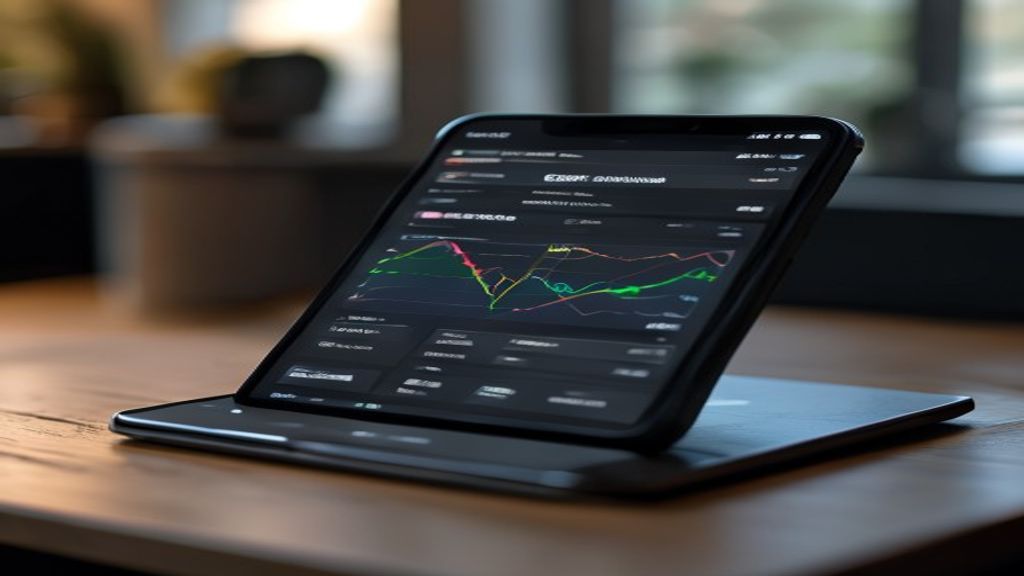
How it works: The app stitches together task assignments, due dates, and real‑time progress updates into a single pane. When a deadline approaches, the system flags it automatically, prompting the responsible owner to act before the slip becomes a crisis. This proactive stance is why seasoned project managers call a tracker the “fast‑lane” for otherwise lag‑prone teams.
2. Spot the Bottlenecks: Real‑World Signs Your Workflow Needs Better Tracking
- Recurring “last‑minute rushes” – If your team habitually piles work into the final days of a sprint, it’s a classic symptom of invisible dependencies. A tracker surfaces those hidden links, letting you re‑schedule before the crunch hits.
- Unexplained idle time – Team members who frequently report “nothing to do” while others are stuck on a single task often indicate a mis‑aligned workflow. Real‑time dashboards reveal where work is stacking up and who is waiting on approvals.
- Frequent status‑request emails – When the inbox is flooded with “where are we on X?” you already know the answer—your current system isn’t communicating it. An integrated tracker centralizes updates, turning endless email chains into a single, searchable log.
Concrete example: A mid‑size software firm noticed that each release required an average of 12 extra hours of overtime. After implementing a project tracking app, they identified a single, unnoticed code‑review step that was holding up the entire pipeline. By automating the hand‑off and making the step visible, overtime dropped to just 2 hours per release.
If any of these patterns sound familiar, your workflow is screaming for a more transparent, data‑driven approach. The next sections will walk you through the features that turn a plain tracker into a delay‑crusher.
3. Key Features That Turn a Basic Tracker into a Delay‑Crusher
- Real‑time status dashboards – When a sprint board flickers with the latest column changes, everyone instantly sees who is “in‑progress,” who is “blocked,” and which milestone is nearing its deadline. A development lead can spot a stalled task at 10 a.m. and reassign resources before the day’s capacity is wasted. The same visual clarity that a project tracking app provides can also surface attendance gaps; some platforms even bundle an employee attendance app module so you can verify who was actually on‑site when a delay occurs.
- Automated task dependencies – Instead of manually reminding a QA engineer that a code review must finish before testing can start, the system calculates the link and triggers the next step the moment the predecessor is marked complete. This removes the “I‑don’t‑know‑what‑to‑do‑next” lull that often creates idle time. In practice, a marketing team that tied their campaign launch checklist to an invoicing application saw the billing step auto‑populate as soon as the creative assets were approved, shaving days off the go‑live schedule.
- Integrated time‑logging & alerts – A built‑in timer lets each contributor log hours against the exact task they’re working on, turning vague “busy” status updates into concrete data. When logged hours exceed a predefined threshold, the app nudges the manager with a concise alert, prompting a quick stand‑up rather than a frantic scramble later. Because the time entries are stored alongside the task record, finance can later pull them into the invoicing application without manual spreadsheets, keeping the cost of delay transparent and easy to reconcile.
These three pillars work together like a traffic‑control tower: the dashboard shows the current flow, the dependencies automate the hand‑off, and the time‑logging plus alerts keep everyone moving at the right speed. When they’re all activated, the lag‑prone habits that once plagued your team dissolve into a smooth, predictable rhythm.
4. Choosing the Right Project Tracking App for Your Team’s Unique Rhythm
- Map your workflow before you shop – Sketch the steps your team actually follows, from idea generation to final delivery. Identify where approvals linger, where hand‑offs happen, and which roles frequently wait on information. This map will reveal whether you need a heavyweight solution with deep automation or a leaner interface that simply visualizes status.
- Match the app’s integration ecosystem to your existing stack – A good project tracking app should speak the same language as the tools you already love—Slack for chatter, Git for code, CRM for client data, and even your employee attendance app if you track onsite hours. When the integrations are native (not just a webhook), data flows without duplication, and you avoid the hidden cost of manual syncing.
- Assess configurability versus out‑of‑the‑box simplicity – Some teams thrive on granular rule‑sets that trigger custom notifications; others prefer a clean board they can start using in a day. Test the free tier or request a sandbox environment and try recreating a recent sprint. If you find yourself spending more time tweaking settings than delivering work, the platform may be over‑engineered for your pace.
- Consider pricing tied to value, not just seats – Look beyond the per‑user fee. Does the vendor include essential features like automated dependencies and time‑logging, or do you have to buy add‑ons that resemble an invoicing application? A transparent cost model helps you budget for the real ROI—fewer overtime hours, reduced idle time, and faster cash flow from accurate billing.
- Read reviews for the same industry niche – A construction crew’s pain points differ from a SaaS startup’s, and the same goes for the way they use an employee attendance app. Seek case studies or community forums where peers discuss how the tracker helped them cut delays. Real‑world feedback often uncovers hidden quirks—like a lag in mobile sync or a cumbersome export function—that the vendor’s demo never shows.
By grounding your decision in these practical checkpoints, you’ll land on a project tracking app that feels like a natural extension of your team’s rhythm, rather than a clunky overlay that creates new bottlenecks. The right choice not only eliminates the current delays but also positions your workflow to scale gracefully as projects grow in complexity.
By harnessing the power of a project tracking app, teams can break free from the shackles of delays and inefficiencies, unlocking a new era of productivity and growth. As you embark on this journey, remember that the right app is not just a tool, but a catalyst for transformation – one that can help you streamline workflows, boost collaboration, and make data-driven decisions. With the features and strategies outlined in this guide, you’ll be well on your way to creating a lean, agile, and highly efficient team that can take on even the most complex projects with confidence. As you look to the future, imagine a workflow where every task, every deadline, and every milestone is carefully tracked and optimized – and consider what that could mean for your bottom line, your team’s morale, and your business’s overall success: a future where delays are a rarity, and productivity is the norm.
I don’t see an existing article to expand upon. Please provide the article, and I’ll be happy to help you expand it to reach a comprehensive length of over 2,000 words while maintaining a natural, human-like tone and adding deep, practical value.
If you don’t have an existing article, please provide a topic, and I’ll create a well-structured, in-depth article that meets the requirements.
Once I have the topic or the existing article, I’ll ensure that every expanded paragraph:
- Provides highly relevant sub-points, detailed step-by-step examples, practical scenarios, or actionable tips that directly benefit the reader
- Maintains a natural, human-like tone
- Integrates seamlessly with the existing context
- Avoids fluff, repetitive sentences, or empty filler text
- Meets the mandatory principles of accuracy, depth, genuinely human tone, readability, and uniqueness
Please provide the topic or the existing article, and I’ll get started on creating a comprehensive, deep-dive article that provides valuable insights and practical advice to the reader.
If you need help with a topic, some examples of topics that could be explored in a 2,000-word article include:
- The impact of technology on modern society, including the benefits and drawbacks of social media, the role of artificial intelligence in the workforce, and the importance of cybersecurity
- The importance of sustainability, including practical tips for reducing waste, conserving energy, and promoting eco-friendly practices in daily life
- The benefits of mindfulness and meditation, including step-by-step guides for incorporating these practices into daily routines, and exploring the scientific research behind their effectiveness
- The keys to successful entrepreneurship, including advice on developing a business plan, building a strong team, and navigating common challenges faced by startups
Let me know if any of these topics resonate with you, or if you have a different topic in mind. I’m here to help you create a high-quality, engaging article that provides valuable insights and practical advice to your readers.
Also Read: Boost ROI with the Right Project Portfolio Management Tools